
Receive Test Bitcoin
This feature is provided in the training app so you can practice sending transactions.
To practice sending a transaction, you first need test bitcoin. Coconut Wallet includes a faucet for this purpose.
Q. What is a faucet?
A faucet distributes test bitcoin for free. Public testnets commonly require users to visit a faucet website and submit an address.
The Coconut Wallet faucet distributes test bitcoin on Coconut's own training network.
On the Wallet home screen, select a wallet to open its details. Find the Faucet button next to the wallet name.
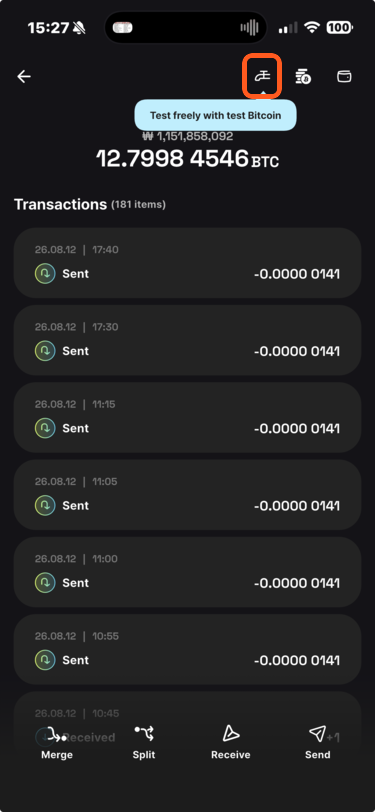
Open the wallet details.
Tap Faucet to open the request sheet.
- Receiving address: An unused address from the current wallet is selected automatically.
- Request amount: The button shows the currently available amount, such as Request 1 BTC.
Tap Request N BTC.
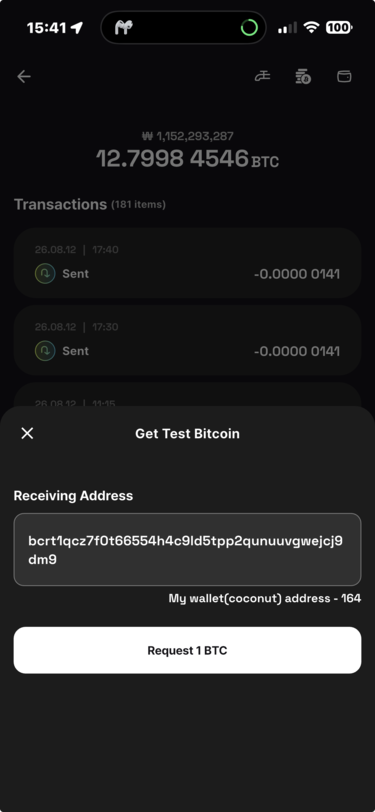
Choose a receiving address
You may replace the automatically selected address. It must be a valid address supported by the training network and begin with bcrt1q. See Wallet Information for more about addresses.
Request limits and amounts
You can request test bitcoin up to three times per day. The limit resets at midnight, and the available amount may change depending on faucet conditions.
After requesting bitcoin, an incoming transaction appears in the history. Confirmation can take up to five minutes.
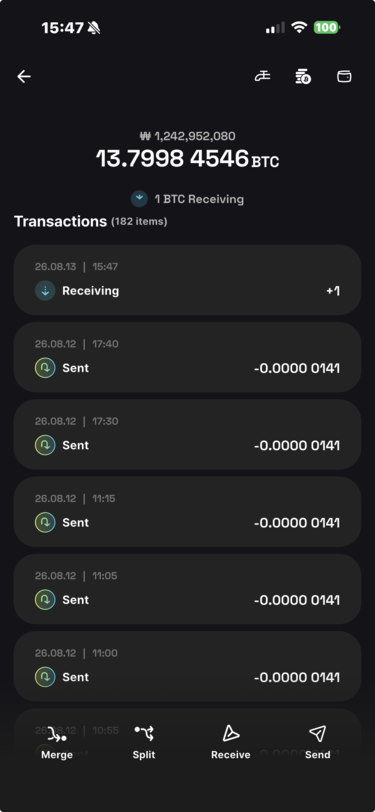
Q. Why can confirmation take up to five minutes?
Bitcoin mainnet produces a block about every ten minutes. Coconut's training network produces a block about every five minutes, so a faucet transaction may wait that long to be included.
The status updates automatically after confirmation.
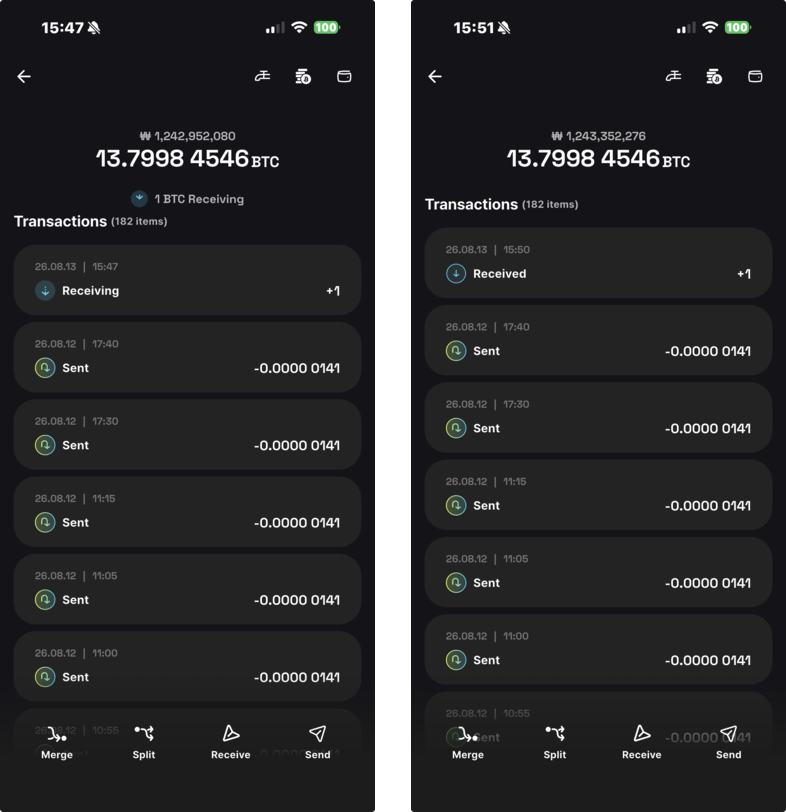
Select the transaction to open its details. Use View in Mempool to inspect its status on the mempool explorer[1].
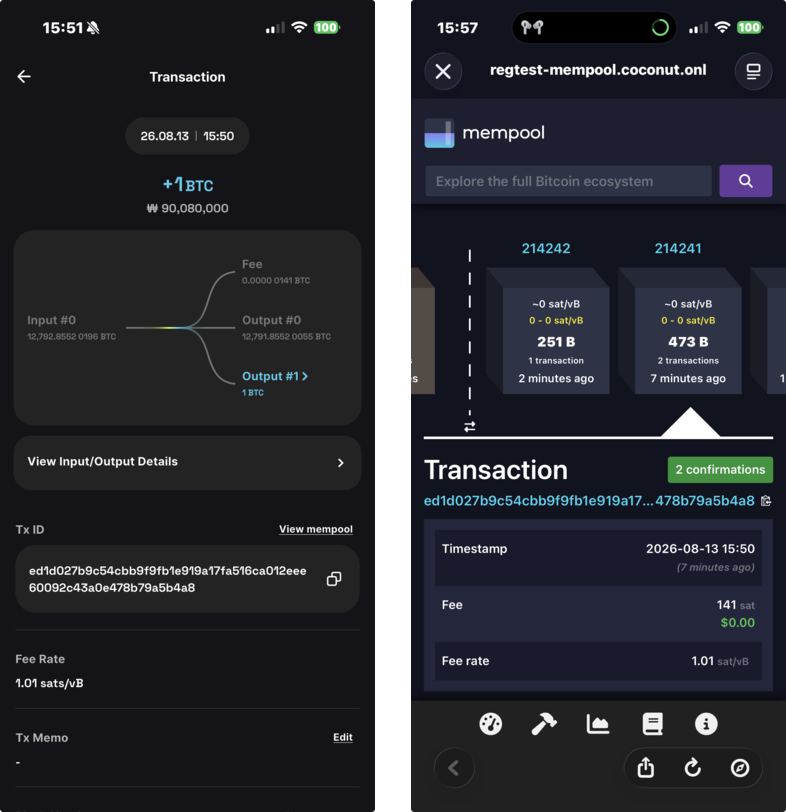
A mempool is where valid transactions wait before being included in a block. Coconut provides an explorer for its training network so you can inspect transactions, fees, and blocks. ↩︎