Create Transactions More Easily
You can send bitcoin to multiple addresses in a single transaction.
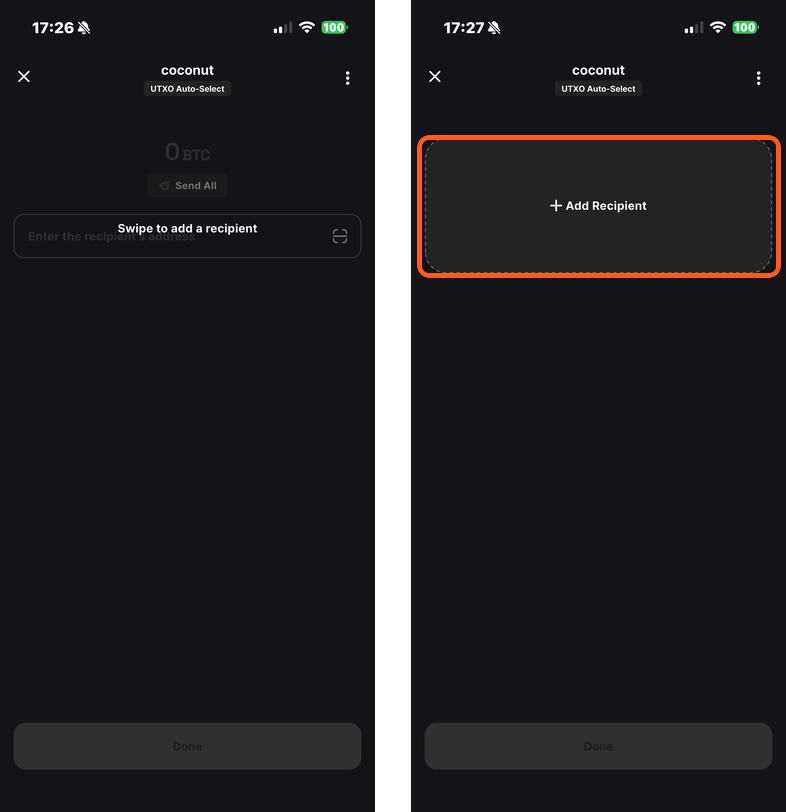
1️⃣ Add Recipients Quickly
On the Send screen, swipe from left to right and tap the + Add Recipient card.
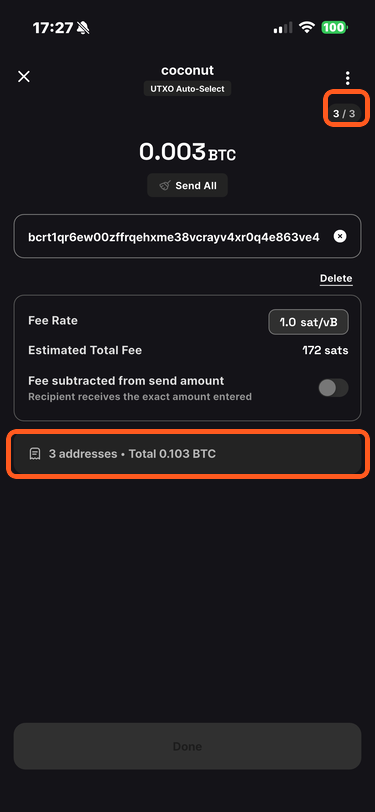
After entering each amount and address, the app calculates the recipient count and total amount automatically.
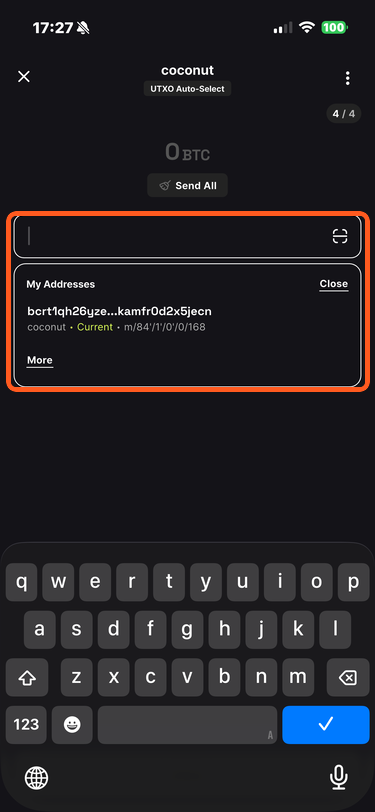
2️⃣ Enter One of Your Own Addresses
When splitting or consolidating UTXOs, you may need to send bitcoin back to your own wallet. Select the address field and choose an automatically suggested My Address entry.
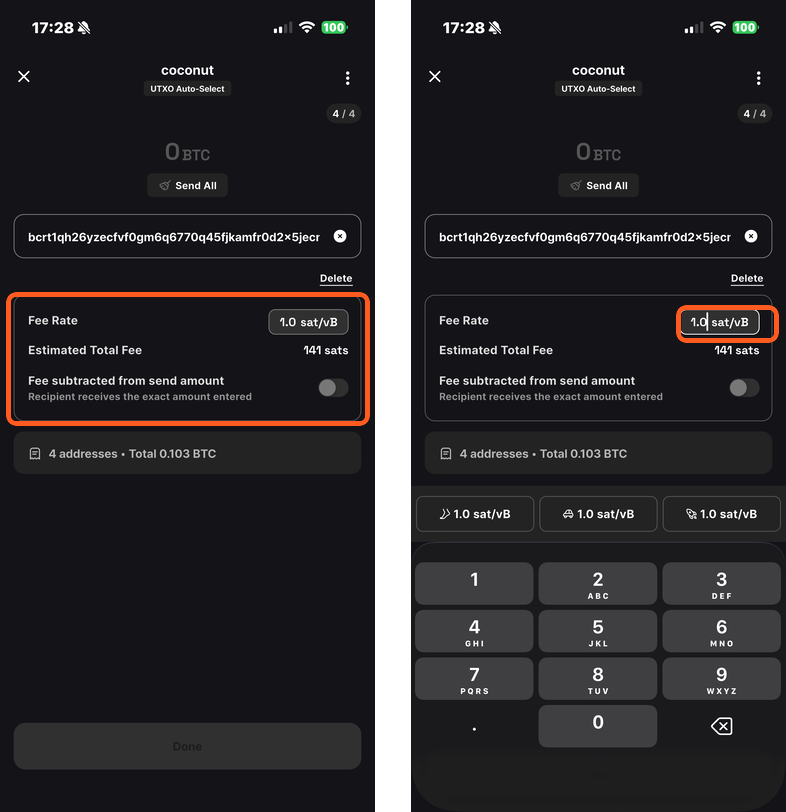
3️⃣ Set the Fee Rate
After the amount and address are valid, the app retrieves and applies the network's recommended fee rate. To change it, select the fee field and enter the desired rate.